Know where every job standswithout calling anyone.
Schedule crews, let the task list build itself, and watch progress update from the jobsite. Photos, notes, documents and hours all live on the job — so the answer to "how's it going?" is already on your screen.
Hours a week back from chasing updates and paperwork
Job status, photos and notes as they happen, not at day's end
Per month to start, with every feature included
This all happened without a single phone call.
Here's a Tuesday on one job, exactly as it appeared on the office screen.
Crew 2 clocks in on site. Hours start tracking automatically.
Dave · Marcus
Task list builds itself from the service type — mow, edge, trim, beds, blow down, haul. Nothing forgotten.
Mow and edging ticked off from the field. Progress jumps to 40%.
Photo uploaded: cracked sprinkler head in the north bed. Note added — "irrigation repair, quoting separately."
Attached to the job, visible in the office
Customer signs the service report on the crew lead's phone. Filed to the property.
Job marked complete. Crew clocks out at 6.2 hours. Invoice queued and ready to send.
Six updates, one job record. Zero phone calls.
Move a job. Assign a crew. Done.
Drop a job onto a day, pick the crew, and everyone sees it instantly — including the guys in the truck. When a job runs long or a customer reschedules, drag it and the whole day resettles around it.
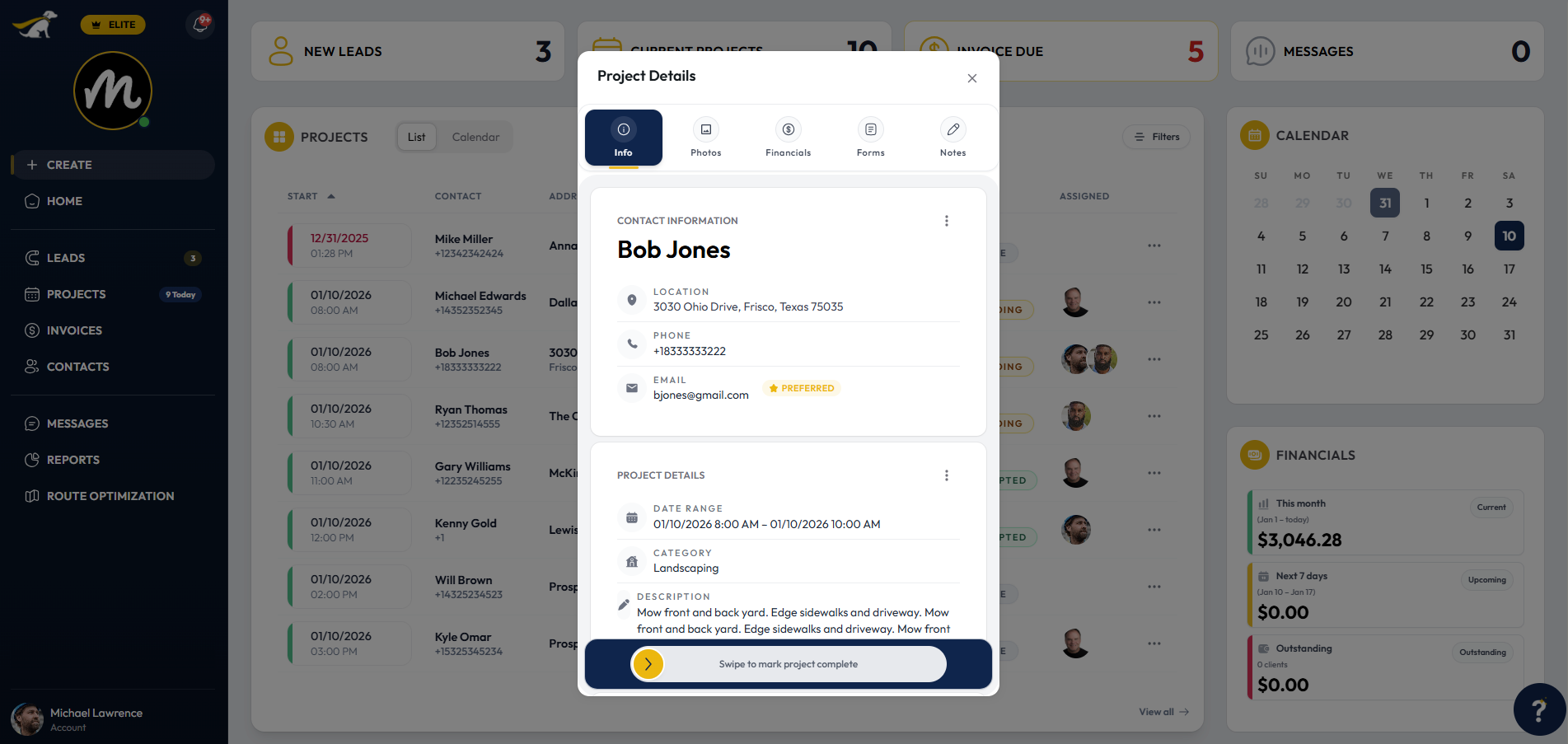
Everything about the job, in one place.
No more digging through texts, emails and a photo roll to work out what was agreed. Every project holds its own information, documents, financials, sign-offs and notes — so anyone who opens it knows the whole story.
Start free trialNo credit card required · cancel anytime
Questions contractors ask
Run tomorrow's jobs
in Lead Dog.
Schedule the crew, let the tasks build themselves, and watch the work happen — from $39 a month.
No credit card required • Cancel anytime