Your crew gets paid to work,not to drive.
Lead Dog tells you which crew should take a new job based on their capacity and where they already are, sequences everyone's stops in the order that wastes the least time, then hands the driver turn-by-turn navigation. Same stops, less town crossed, more daylight left for work.
Watch the day untangle itself.
Same eight properties. Same crew. 16 fewer miles and 50 minutes back — every single day.
Who should take this one?
A new job comes in unassigned. Instead of guessing — or giving it to whoever comes to mind first — Lead Dog shows you which crew actually has room and who's already working nearby.
The wrong crew costs you twice.
Hand a job to a crew that's already full and it slips to next week. Hand it to one working the other side of town and you've paid for forty minutes of driving before anyone picks up a tool. Lead Dog weighs both before you commit.
Their Thursday route re-sequences automatically around the new stop.
What is windshield time costing you?
Drag the sliders to match your operation. These are estimates, not promises — but the shape of the number is usually the surprise.
Assumes a 25% reduction in miles (the middle of the 20–30% range crews typically see), 12 mpg, 35 mph average in-town speed and 250 working days a year. Fuel only — this doesn't count maintenance, tyres or the extra jobs you could fit in.
Every year, you'd get back
Those hours are the real number. At an average job value, a crew that gets two extra hours a week back is a crew that can take on more work without another truck.
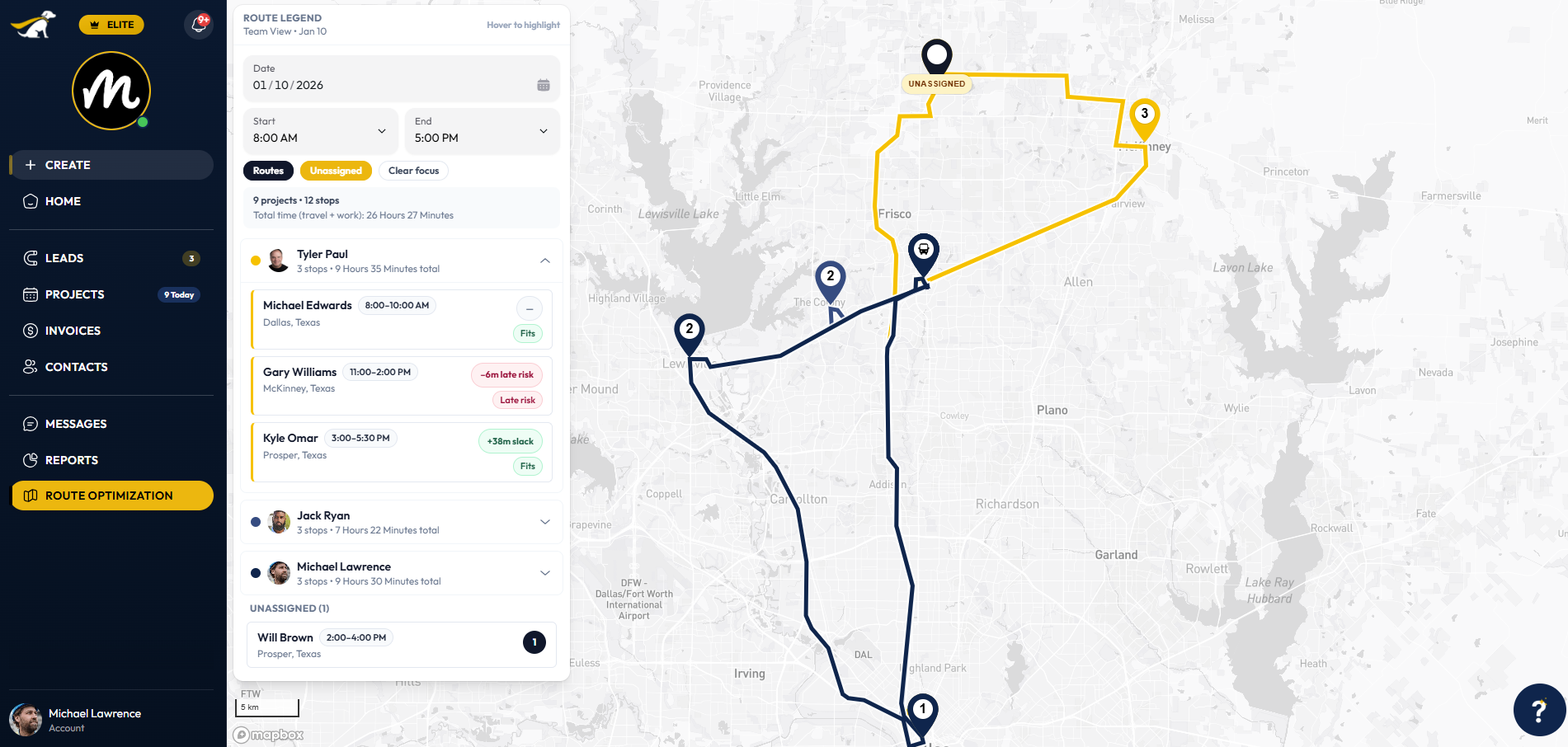
The right crew, in the right order.
Routing isn't just about distance. Lead Dog builds each crew's day around who's assigned, how long each job actually takes, and where they already are — then gives you an honest total duration so you know what fits before you promise it.
No credit card required · cancel anytime
Three mapping engines doing the hard part
Lead Dog combines industry-leading mapping platforms to sequence stops, predict real drive times and guide crews with precision.
Apple Maps
Real-world drive times feed the schedule, and turn-by-turn navigation launches straight from the job without retyping an address.
Google Maps
Google's traffic intelligence gives accurate ETAs and live conditions, so the plan reflects the roads as they are this morning.
Mapbox
Mapbox handles the heavy lifting behind the scenes — batch scheduling, multi-stop routing and distance maths, done before you open the app.
Questions contractors ask
Get an hour back.
Every truck. Every day.
Routes sequenced automatically, navigation handed to the driver — from $39 a month.
No credit card required • Cancel anytime